

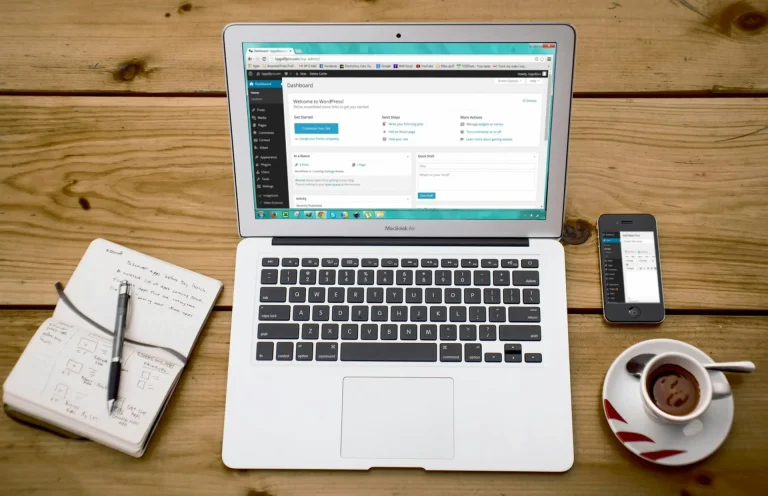
Best CMS Systems for Small Business
Best CMS Systems for Small Businesses Having a robust online presence is critical for small businesses to thrive. A Content Management System (CMS) is an essential tool that enables businesses to manage their websites efficiently, even without extensive technical knowledge. What is a CMS? A Content Management System (CMS) is software that allows users to…
Read More

What’s Demarc?!
In a world where cyber threats and email fraud are becoming more sophisticated, protecting your domain and email reputation is essential. This is where DMARC comes in. But what exactly is DMARC, and why does it matter? DMARC Explained in Simple Terms DMARC stands for Domain-based Message Authentication, Reporting & Conformance. It's an email authentication…
Read More

Is Email Marketing Still Relevant?
Despite the rise of social media and other digital marketing channels, email marketing remains a powerful tool for businesses. It offers a direct line of communication with customers and provides a high return on investment (ROI). Unlike social media platforms, where algorithms control the visibility of your posts, email allows businesses to reach their audience…
Read More

Business Strategy for Local Business
Local businesses are essential pillars of the community, but thriving in today’s competitive landscape requires more than just a physical storefront. A strategic approach focusing heavily on digital presence, particularly a professional website and robust digital marketing efforts, can significantly boost growth and profitability. Why Your Local Business Needs a Website Having a professional website…
Read More

Web Design, Web Development, UX/UI
In today’s digital world, creating a successful website involves more than just making it look good. Terms like web design, web development, and UX/UI often get used interchangeably, but they each play a unique role in building an engaging and functional online presence. This article breaks down what each means, why they matter, and how…
Read More

Digital Marketing in the Era of AI
Artificial Intelligence (AI) is reshaping how businesses approach digital marketing, making strategies smarter, more targeted, and efficient. Understanding how AI impacts digital marketing can help businesses stay competitive and better serve their customers. What is AI in Digital Marketing? AI in digital marketing refers to using machine learning and data-driven algorithms to analyze information, predict…
Read More

What is Webhook and How to Use It?
Webhooks are automated messages sent from apps when certain events happen. Think of webhooks as notifications or triggers—like a doorbell ringing when someone arrives at your door. Instead of constantly checking for new data, webhooks proactively inform you when something important occurs. Understanding Webhooks Simply Imagine ordering food from a restaurant. You don't continuously call…
Read More

Web Automation & Automation Tools
In today’s digital age, finding ways to save time and streamline repetitive tasks is more important than ever. That’s where web automation comes in. Whether you're running a small business, managing a marketing team, or simply trying to stay organized, automation tools can help you work more efficiently and effectively. What is Web Automation? At…
Read More

Best Free Tools For Windows
Whether you're a student, freelancer, content creator, or small business owner, having the right software on your Windows PC can make a big difference. Fortunately, many powerful tools are available for free, offering everything from productivity and creativity to security and system optimization. 1. Productivity Tools LibreOffice – A full-featured alternative to Microsoft Office that…
Read More

Why You Need a Business Website
In today’s digital-first world, having a business website is no longer optional—it’s essential. Whether you run a small shop, offer professional services, or lead a growing startup, your website is often the first impression you make on potential customers. This article explores the key reasons why every business needs a website and how it can…
Read More
Pupolar Articles
Digital Marketing in the Era of AI
Artificial Intelligence (AI) is reshaping how businesses approach digital marketing, making strategies smarter, more targeted, and efficient. Understanding how AI impacts digital marketing can help businesses stay competitive and better serve their customers.
What is AI in Digital Marketing?
AI in digital marketing refers to using machine learning and data-driven algorithms to analyze information, predict customer behavior, personalize experiences, and automate marketing tasks. AI enables businesses to create smarter campaigns, improve customer experiences, and maximize their marketing budgets.
Why AI is Important for Digital Marketing
AI is crucial in digital marketing because it:
- Enhances Personalization: Delivers highly personalized content tailored to individual preferences and behaviors.
- Improves Efficiency: Automates repetitive tasks, freeing marketers to focus on strategic planning.
- Provides Deep Insights: Analyzes large data sets quickly to identify trends and consumer behaviors.
- Optimizes Campaigns: Predicts outcomes and refines marketing strategies in real-time.
Applications of AI in Digital Marketing
1. Personalized Content Creation
AI tools like Jasper and Copy.ai enable marketers to generate highly personalized content that resonates deeply with specific audiences, increasing engagement and conversions.
2. Chatbots and Customer Service
AI-driven chatbots offer instant responses to customer inquiries, providing seamless and efficient customer support around the clock.
3. Predictive Analytics
Platforms using predictive analytics, such as Google Analytics and Adobe Analytics, leverage AI to forecast customer behaviors and preferences, helping businesses craft effective marketing strategies.
4. Programmatic Advertising
AI powers programmatic advertising, automating ad placements based on audience targeting and real-time bidding, optimizing ad spend and campaign effectiveness.
5. SEO and Content Optimization
AI tools like SEMrush, Ahrefs, and MarketMuse analyze search trends, competitor strategies, and keyword performance, enabling marketers to improve their content and rank higher on search engines.
Benefits of AI in Digital Marketing
- Increased ROI: Efficient use of marketing budgets through optimized targeting and personalization.
- Enhanced Customer Experience: Personalized content and timely engagement create positive customer interactions.
- Time Savings: Automation reduces manual workload, allowing marketers to focus on creative and strategic tasks.
- Improved Decision Making: Data-driven insights help marketers make informed, strategic choices.
Challenges of AI in Digital Marketing
While AI offers significant advantages, businesses must be mindful of:
- Data Privacy: Ensuring compliance with data protection regulations like GDPR.
- Implementation Costs: Initial setup and integration of AI tools can require substantial investment.
- Continuous Learning: Keeping up-to-date with rapidly evolving AI technologies and strategies.
Practical Tips for Integrating AI in Digital Marketing
- Start Small: Begin with AI tools that address immediate needs, such as chatbots or content creation.
- Invest in Training: Equip your marketing team with necessary training and resources.
- Monitor and Optimize: Continuously analyze performance and refine your strategies based on data insights.
Future Trends in AI and Digital Marketing
- Advanced Voice Search: Increased integration of voice-activated technology into marketing strategies.
- Enhanced Visual Search: AI-powered image and video search capabilities becoming more sophisticated.
- AI-driven Content Marketing: Further automation and personalization in content generation and distribution.
Final Thoughts
AI is transforming digital marketing, making it more personalized, efficient, and data-driven. Businesses that proactively embrace AI technologies and strategies will enjoy enhanced customer experiences, greater operational efficiency, and sustained competitive advantage.
Sources
Adobe Digital Trends Report: https://business.adobe.com/resources/reports/digital-trends.html
Salesforce Marketing Intelligence Report: https://www.salesforce.com/resources/articles/marketing-intelligence/
HubSpot AI in Marketing: https://www.hubspot.com/artificial-intelligence
What’s Demarc?!
In a world where cyber threats and email fraud are becoming more sophisticated, protecting your domain and email reputation is essential. This is where DMARC comes in. But what exactly is DMARC, and why does it matter?
DMARC Explained in Simple Terms
DMARC stands for Domain-based Message Authentication, Reporting & Conformance. It’s an email authentication protocol designed to help protect your domain from being used for phishing scams, spoofing, and other cybercrimes.
In simple terms, DMARC works by telling receiving email servers how to handle messages that appear to come from your domain but don’t actually pass certain security checks. Think of it as a digital shield that verifies your emails and keeps attackers from impersonating you.
How DMARC Works
DMARC builds on two existing email authentication protocols:
- SPF (Sender Policy Framework): Confirms the sender is allowed to send emails on behalf of your domain.
- DKIM (DomainKeys Identified Mail): Verifies the email content hasn’t been tampered with and comes from an authorized source.
With DMARC, you publish a policy in your domain’s DNS records that specifies:
- What to do if an email fails SPF and/or DKIM checks (e.g., reject, quarantine, or do nothing).
- Where to send reports so you can monitor attempts to spoof your domain.
Why is DMARC Important?
- Prevents Email Spoofing: Stops cybercriminals from sending fake emails that appear to be from your domain.
- Protects Brand Reputation: Ensures customers and partners only receive legitimate emails from your domain.
- Improves Email Deliverability: Authenticated emails are less likely to be marked as spam.
- Provides Visibility: DMARC reports give you insight into who is sending email from your domain (or pretending to).
How to Set Up DMARC
- Set Up SPF and DKIM: These are required before implementing DMARC.
- Create a DMARC Record: Add a DNS TXT record to your domain with your chosen policy.
- Monitor Reports: Use DMARC reports to track and analyze email activity related to your domain.
- Enforce Policy: Start with “none” to monitor, then move to “quarantine” or “reject” for stronger protection.
Tools That Help With DMARC Implementation
- Google Postmaster Tools
- Microsoft 365 Security Center
- DMARC Analyzer
- Valimail
- EasyDMARC
Final Thoughts
DMARC is a vital part of your email security strategy. By combining SPF and DKIM with a clear policy, it helps safeguard your domain, protect your customers, and ensure your communications are trusted. Whether you’re a small business or a large enterprise, setting up DMARC is a smart move toward better security and deliverability.
Sources
Microsoft DMARC Documentation: https://learn.microsoft.com/en-us/microsoft-365/security/office-365-security/use-dmarc-to-validate-email
DMARC.org Overview: https://dmarc.org/
Google Email Authentication Guide: https://support.google.com/a/answer/2466580
Is Email Marketing Still Relevant?
Despite the rise of social media and other digital marketing channels, email marketing remains a powerful tool for businesses. It offers a direct line of communication with customers and provides a high return on investment (ROI). Unlike social media platforms, where algorithms control the visibility of your posts, email allows businesses to reach their audience directly in their inboxes.
In an age dominated by social media and instant messaging apps, many businesses question if email marketing is still relevant. The short answer: absolutely. Email marketing remains one of the most effective ways to reach, engage, and convert customers, offering substantial returns on investment and reliable engagement.
Email marketing is highly effective for building and maintaining customer relationships. Personalized emails can engage customers, provide valuable content, and encourage repeat business. With the use of segmentation and automation, businesses can tailor their messages to different customer groups, ensuring relevance and increasing engagement rates.
Why Email Marketing is Still Powerful
Despite the popularity of newer marketing channels, email marketing continues to thrive because:
- Direct Communication: Email enables direct, personal communication with your audience, something social media can’t always provide.
- Cost-Effective: Email marketing offers high returns with relatively low costs compared to other marketing methods.
- Owned Media: Unlike social platforms, email lists are assets owned entirely by your business, not subject to changing algorithms or platform policies.
Statistics Supporting Email Marketing Relevance
- According to HubSpot, email generates $36 for every $1 spent, offering one of the highest ROIs in digital marketing.
- Campaign Monitor notes that email is 40 times more effective at acquiring new customers than Facebook or Twitter.
- Over 80% of small businesses still rely on email marketing as their primary customer retention tool (Salesforce).
Enhancing Email Marketing with Automation Tools
Using automation tools significantly enhances the effectiveness of email marketing:
- Mailchimp: Popular for user-friendly email campaign management and automation features such as drip campaigns, segmentation, and triggered emails.
- HubSpot: Integrates comprehensive CRM features with email automation, allowing personalized customer journeys.
- ActiveCampaign: Known for powerful segmentation and personalized automated email sequences that boost engagement.
Leveraging AI Agents for Next-Level Email Automation
Emerging AI technology has introduced a revolutionary way to automate email marketing. AI agents can significantly enhance email effectiveness:
- Personalization: Tools like Jasper or Copy.ai help craft highly personalized email content that resonates deeply with individual subscribers.
- Optimization: AI-powered analytics from platforms like Phrasee and Seventh Sense optimize email subject lines, timing, and content based on real-time user behavior.
- Customer Engagement: AI chatbots integrated into emails offer interactive experiences and instant customer support.
Benefits of Continuing Email Marketing Efforts
- Increased Customer Retention: Regular emails maintain customer relationships and keep your business top-of-mind.
- Higher Conversion Rates: Targeted and personalized emails significantly improve the likelihood of conversions.
- Improved Customer Insights: Analytics from email campaigns provide invaluable insights into customer preferences and behaviors.
Practical Tips for Effective Email Marketing
- Regularly clean and update your email lists to maintain engagement rates.
- Focus on personalization and relevance; avoid generic or overly promotional emails.
- Analyze performance data to continuously refine your strategies.
- Combine email efforts with other digital marketing strategies for maximum impact.
Final Thoughts
Email marketing remains highly relevant and essential for businesses aiming for consistent engagement and reliable revenue generation. By strategically incorporating automation tools and AI-driven personalization, companies can unlock even greater success with their email marketing campaigns.
Sources
- HubSpot Email Marketing Statistics: https://www.hubspot.com/marketing-statistics
- Campaign Monitor Email Stats: https://www.campaignmonitor.com/resources/guides/email-marketing-new-rules/
- Salesforce State of Marketing: https://www.salesforce.com/resources/research/state-of-marketing/
Business Strategy for Local Business
Local businesses are essential pillars of the community, but thriving in today’s competitive landscape requires more than just a physical storefront. A strategic approach focusing heavily on digital presence, particularly a professional website and robust digital marketing efforts, can significantly boost growth and profitability.
Why Your Local Business Needs a Website
Having a professional website is no longer optional—it’s a necessity. Here’s why:
- Credibility and Trust: Customers often check online before visiting. A well-designed website establishes trust and shows professionalism.
- Visibility: With more people using online searches to find local services, a website ensures your business appears in search results.
- 24/7 Accessibility: A website allows customers to learn about your business, view products or services, and even book appointments anytime.
The Power of Digital Marketing
Digital marketing amplifies your online presence, making your business easily discoverable and appealing to potential customers:
- Local SEO: Optimizing your website for local searches can significantly increase foot traffic and online engagement.
- Social Media Marketing: Active presence on platforms like Facebook, Instagram, and LinkedIn helps build relationships and community engagement.
- Content Marketing: Regularly sharing useful content like blogs, videos, or guides positions you as an industry expert and attracts organic traffic.
- Paid Advertising: Cost-effective platforms like Google Ads and social media ads allow you to target local customers precisely.
Integrating CRM and Automation Tools
Briefly considering tools like Customer Relationship Management (CRM) systems and automation can streamline operations and enhance customer experience:
- CRM Tools: Systems like HubSpot or Salesforce help track customer interactions and personalize communications, improving retention.
- Automation Tools: Simple tools like Zapier or Mailchimp automate repetitive tasks like email marketing or lead management, freeing you to focus on growth.
Effective Business Growth Strategies
Growth requires thoughtful strategy:
- Understand Your Customers: Regularly gather feedback and analyze customer needs and behaviors.
- Define Clear Goals: Set specific, measurable growth goals to guide your marketing efforts.
- Measure and Adjust: Track key metrics like website visits, conversion rates, and customer satisfaction regularly. Adjust strategies based on data insights.
Benefits of Embracing Digital Strategies
- Enhanced Visibility: Stand out among local competitors and attract more customers.
- Improved Customer Engagement: Build stronger relationships through personalized and timely communication.
- Increased Revenue: A strategic digital presence often translates into higher sales and repeat business.
- Long-Term Sustainability: Digital marketing strategies ensure continuous growth and adaptability to market changes.
Business Strategy Statistics & Insights
- 93% of consumers search online before visiting local businesses (BrightLocal, 2024).
- Businesses using CRM tools see a 29% increase in sales productivity (Salesforce).
- Companies prioritizing digital marketing experience 3 times faster growth than those without (Forbes).
Final Thoughts
Investing in a strategic online presence through a professional website and comprehensive digital marketing not only positions your local business for immediate growth but also ensures its long-term success and sustainability.
Sources
Forbes Digital Marketing Insights: https://www.forbes.com/sites/forbesagencycouncil/2021/06/01/how-digital-marketing-helps-businesses-grow/
BrightLocal Local Consumer Review Survey: https://www.brightlocal.com/research/local-consumer-review-survey/
Salesforce CRM Benefits: https://www.salesforce.com/resources/articles/crm-statistics/
Why You Need a Business Website
In today’s digital-first world, having a business website is no longer optional—it’s essential. Whether you run a small shop, offer professional services, or lead a growing startup, your website is often the first impression you make on potential customers.
This article explores the key reasons why every business needs a website and how it can help you grow, compete, and build trust.
1. Build Credibility and Trust
A professionally designed website shows customers that your business is legitimate and trustworthy. Many consumers won’t take a business seriously if they can’t find it online. Having a website with your services, contact info, and testimonials increases customer confidence.
2. Be Accessible 24/7
Unlike a physical store, your website works around the clock. Customers can visit your site at any time to learn about your products, services, or contact you—even outside of business hours.
3. Improve Visibility in Search Engines
With proper SEO, your website can appear in Google search results when people search for what you offer. This can bring in organic traffic and leads that you might otherwise miss.
4. Control Your Brand Narrative
Your website allows you to tell your brand story the way you want. From design and messaging to imagery and values, you have full control over how people perceive your business.
5. Generate Leads and Sales
A well-designed website includes contact forms, booking systems, e-commerce functionality, or other tools that help convert visitors into customers.
6. Compete with Larger Companies
Your website can help level the playing field. With a strong online presence, you can compete with larger brands by targeting local SEO, delivering value, and showcasing your unique edge.
7. Showcase Products, Services, and Reviews
Use your website to display your offerings, highlight case studies or customer reviews, and build a portfolio that reassures and informs potential customers.
8. Integration with Marketing Tools
Modern websites can connect with tools like email marketing platforms, social media, live chat, and analytics. This helps you create a seamless and measurable marketing strategy.
Final Thoughts
Your website is your digital storefront and marketing hub. It’s the foundation of your online presence and one of the most important tools for building relationships, converting leads, and growing your business. If you haven’t already, now is the time to invest in a website that works for you.
Sources
BrightLocal Consumer Survey: https://www.brightlocal.com/research/local-consumer-review-survey/
Forbes Business Website Guide: https://www.forbes.com/advisor/business/why-you-need-a-website/
HubSpot: https://blog.hubspot.com/marketing/why-businesses-need-website
Web Design, Web Development, UX/UI
In today’s digital world, creating a successful website involves more than just making it look good. Terms like web design, web development, and UX/UI often get used interchangeably, but they each play a unique role in building an engaging and functional online presence. This article breaks down what each means, why they matter, and how to choose the right services for your business.
What is Web Design?
Web design is the process of planning and creating the visual look and feel of a website. It focuses on layout, colors, typography, branding, and imagery. A web designer ensures that a website is not only attractive but also user-friendly and aligned with a brand’s identity.
Key aspects of web design include:
- Visual layout
- Color scheme and typography
- Mobile responsiveness
- Design consistency
What is Web Development?
Web development is the technical side of building a website. It involves coding and programming to bring web design to life. Web developers ensure that everything on the site works correctly, from interactive elements to page loading speed.
Types of web development:
- Front-end development: What users see (HTML, CSS, JavaScript)
- Back-end development: Server-side logic and databases
- Full-stack development: A combination of both front-end and back-end
What is UX/UI Design?
UX (User Experience) and UI (User Interface) design are all about how users interact with your website or app. While web design focuses on appearance, UX/UI ensures a smooth, intuitive experience that guides visitors to take action.
- UX Design: Focuses on the overall experience, structure, and functionality.
- UI Design: Concentrates on the layout, buttons, icons, and interactive elements.
UX/UI goals:
- Make navigation easy
- Improve user satisfaction
- Boost conversions and engagement
Why These Roles Matter
Together, web design, development, and UX/UI ensure that your website:
- Looks professional and on-brand
- Functions smoothly across all devices
- Is easy to navigate
- Converts visitors into customers
Neglecting any of these areas can result in a website that looks great but loads slowly, or one that functions well but confuses users.
The Web Design & Development Process
A successful website project typically follows these key stages:
- Discovery & Planning
- Understand business goals, target audience, and competition.
- Create a sitemap and define the website structure.
- Wireframing & UX Design
- Sketch out the layout and user flow.
- Plan the structure of content and navigation based on user needs.
- Visual UI Design
- Apply branding, colors, typography, and visual elements.
- Create high-fidelity mockups for different screen sizes.
- Web Development
- Convert designs into a working website using front-end and back-end code.
- Set up databases, CMS, and integrate necessary features.
- Testing & Optimization
- Test across browsers, devices, and screen resolutions.
- Optimize speed, accessibility, SEO, and functionality.
- Launch & Training
- Deploy the website live.
- Provide training if the client will manage content.
- Maintenance & Updates
- Monitor performance, fix issues, and update features/content regularly.
Best Tools for Web Design, Development, and UX/UI
Here are some of the most widely used and effective tools across each field:
Web Design Tools:
- Figma: Collaborative interface design and prototyping tool.
- Adobe XD: For UI/UX design and interactive prototyping.
- Canva: For simple, drag-and-drop visual content creation.
Web Development Tools:
- Visual Studio Code: Lightweight but powerful code editor.
- GitHub: Version control and collaboration for development teams.
- WordPress: Popular CMS for custom websites and blogs.
UX/UI Tools:
- InVision: Wireframing and interactive prototyping.
- Maze: For user testing and feedback.
- Hotjar: Heatmaps and user behavior analytics.
Testing & Optimization Tools:
- Google Lighthouse: For performance, SEO, and accessibility audits.
- BrowserStack: Cross-browser and device testing.
These tools help streamline workflows, improve collaboration, and enhance the final user experience.
Choosing the Right Services for Your Business
When building or redesigning your website, look for a team or agency that understands all three elements:
- A web designer to craft a stunning visual layout
- A web developer to ensure the site works flawlessly
- A UX/UI specialist to optimize user interaction and satisfaction
Best Resources and Courses to Learn More
If you’re interested in learning web design, development, or UX/UI, here are some trusted online resources and courses:
General Learning Platforms:
- Coursera: Offers courses from universities like the University of Michigan and Google on UX Design and Full-Stack Development.
- Udemy: Affordable, beginner-to-advanced courses on HTML, CSS, JavaScript, Figma, and UI/UX.
- LinkedIn Learning: Professional courses covering web design fundamentals, responsive design, and development tools.
Specialized UX/UI Courses:
- Interaction Design Foundation (IDF): Offers high-quality, structured UX and UI design programs.
- Google UX Design Certificate (Coursera): Beginner-friendly course recognized by employers.
- Springboard: A career-focused UX/UI bootcamp with mentorship.
Web Development Courses:
- freeCodeCamp: Completely free and beginner-friendly, covering front-end, back-end, and full-stack.
- The Odin Project: Open-source, project-based curriculum for web developers.
- Codecademy: Interactive learning environment for coding fundamentals and full web development tracks.
These platforms can help you build a strong foundation and transition into professional roles in design and development.
Final Thoughts
Understanding the difference between web design, web development, and UX/UI can help you make smarter choices for your online presence. Each plays a critical role in building a modern, effective website that drives business growth.
Sources
Adobe XD Blog on UI/UX: https://xd.adobe.com/ideas/process/ui-design/
Nielsen Norman Group UX Basics: https://www.nngroup.com/articles/definition-user-experience/
Mozilla Developer Network: https://developer.mozilla.org
Adobe XD Blog on UI/UX: https://xd.adobe.com/ideas/process/ui-design/
Smashing Magazine Web Design Guides: https://www.smashingmagazine.com/guides/
W3Schools Web Development Tutorials: https://www.w3schools.com
UX Collective Articles and Insights: https://uxdesign.cc/
A List Apart on Design and Code: https://alistapart.com/
Nielsen Norman Group UX Basics: https://www.nngroup.com/articles/definition-user-experience/
Mozilla Developer Network: https://developer.mozilla.org